Hi all! You may have seen that we just added support for Openclaw (formerly Moltbot/Clawdbot) to your rabbit r1. If you didn’t see the announcement, click here.
Here’s some info on how to connect it
We are not providing support on how to set up a Openclaw gateway. This guide presumes that you already have your gateway set up. You can find those instructions at the official Openclaw website.
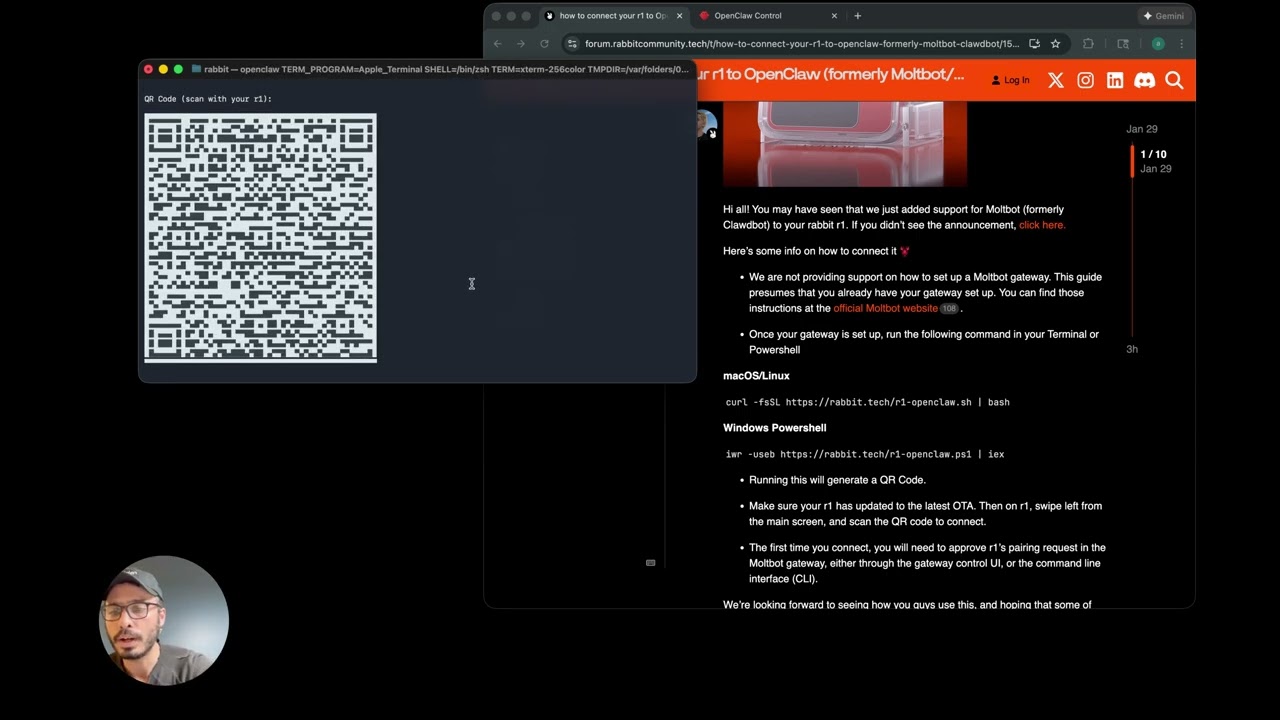
Once your gateway is set up, run the following command in your Terminal or Powershell
Make sure your r1 has updated to the latest OTA. Then on r1, swipe left from the main screen, and scan the QR code to connect.
The first time you connect, you will need to approve r1’s pairing request in the Openclaw gateway, either through the gateway control UI, or the command line interface (CLI).
We’re looking forward to seeing how you guys use this, and hoping that some of you who may already be heavy users of Openclaw can help out folks who are new to it If you have any questions, feel free to let us know!
i have created an vps on hostinger, installed the clawbot as stated on the website and after that used the curl -fsSL https://rabbit.tech/r1-moltbot.sh | bash this created an qr code, but when i try to scan the qr code with the rabbit r1, i receive the message ‘secure connection required for external gateway. can someone help me on the way?
The r1 only supports unsecure connection when you use your local network. In order to use a vps service you must use a domain that has a valid ssl certificate in order to use wss.
This is really easy though:
Step 1: if you don’t own a domain already, you can buy one. You can get a .xyz domain for like $2 on namecheap.
Step 2: the easiest way to setup ssl is to connect your domain to cloudflare name servers for free
Step 3: in cloudflare click “zero trust" > networks > connectors and make a new tunnel.
Step 4: paste the tunnnel install and link commands into your vps terminal
Step 5: back on Cloudflare zero trust click on your tunnel then click edit > published application routes > add a published application route
Step 6: select your domain and type in anything for your sub domain. For service click http and for url put localhost:YOUR_OPENCLAW_PORT_HERE
Step 7: on R1 OpenClaw QR Gen - Boondit enter in your url you made on the zero trust panel and set the port to “443” (it must be 443 and not the openclaw port). Once you put in your token and click generate, scan the QR using your R1
Step 8: after scanning the QR code run the connection script that rabbit provides to approve your r1. After that you’re all done!
Also note that this same method works for accessing your home OpenClaw instance remotely if you wish
I was successful in getting Molbot going on my R1 and it was great. I then ran the update according to the OpenClaw curl -fsSL ``https://openclaw.bot/install.sh`` | bash established a new api key with anthropic, and now my I’ve updated to the latest OpenClaw but my r1 is no longer connected. How do we reconnect the r1? i ran curl -fsSL https://rabbit.tech/r1-openclaw.sh | bash but never got the QR code.
EDIT:
I got the QR CODE! but my r1 is still linked to im guessing the old Moltbot/Openclaw session* when i swipe left. How do i remove the old link to moltbot and rescan the new qrcode?
Thank you for the heads up. Once you have your things running (took me a while), don’t forget to let your agent join the https://www.moltbook.com/A Social Network for AI Agents.
How do we reset Moltbot on the R1 so that it can rescan the QR code? I had to reset the gateway but now I can’t rescan the QR code. (I know it shouldn’t have disconnected but it did. Just need to know how to get the moltbot QR reader to show back up on the R1).
(Tried method shown with revoking the R1 with the WEB UI which did revoke it - but still not causing my R1 MoltBot QR Code Reader to pop up). It just seems like there should be a “Press button 4 times” sequence or Type “Reset MBOT QR Code” to reset it. I think typing a special term or code should be input or programmed since that seems to be an easy way to do it without accidently resetting it once you get everything linked.)
Thanks - I tried it, and to me it should have worked. I even reset it twice. But the R1 just says “Connection error” and attempts to connect 3 times before it stops.
any guidance on how to connect the r1 to a vpn or tailscale? seems kinda like a useless toy if you can’t actually use openclaw on the R1 while on the go
Related to the above comment.
It appears the device firmware won’t parse domain names in the “ips” field of the QR payload…
Any plans to add support for remote gateways without direct IP routing? (just let me specify my gateway domain)

 If you have any questions, feel free to let us know!
